

| Prerequisite | Requirement |
|---|---|
| Safina Plan | Personal or higher |
In the previous articles, you learned how powerful the conversation guide is. However, building a perfect guide from scratch takes time and strategic thinking.
This is where perhaps the biggest shortcut to your perfect configuration comes in: industry templates.
What Exactly Is an Industry Template?
An industry template is a complete, expert-designed conversation guide that is specifically tailored to the typical requirements and call reasons of a particular industry.
Think of it this way: instead of designing a house from scratch, you choose a professionally designed home that you only need to furnish to your liking.
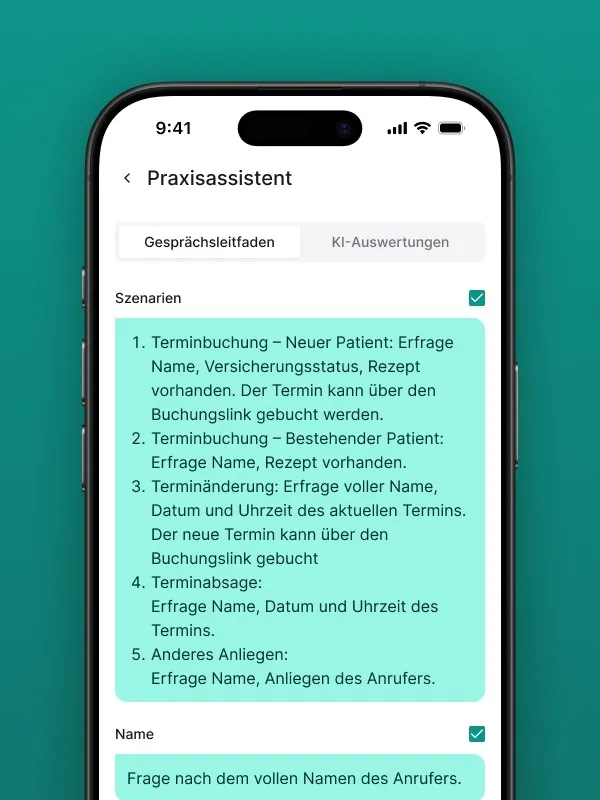
A template already includes:
- The key scenarios for your industry (e.g., “Issue report,” “Appointment request,” “Prescription order”).
- The matching questions for each scenario to capture all relevant data.
- Where applicable, additional AI evaluations (e.g., “Determine from the conversation whether it’s an emergency”)
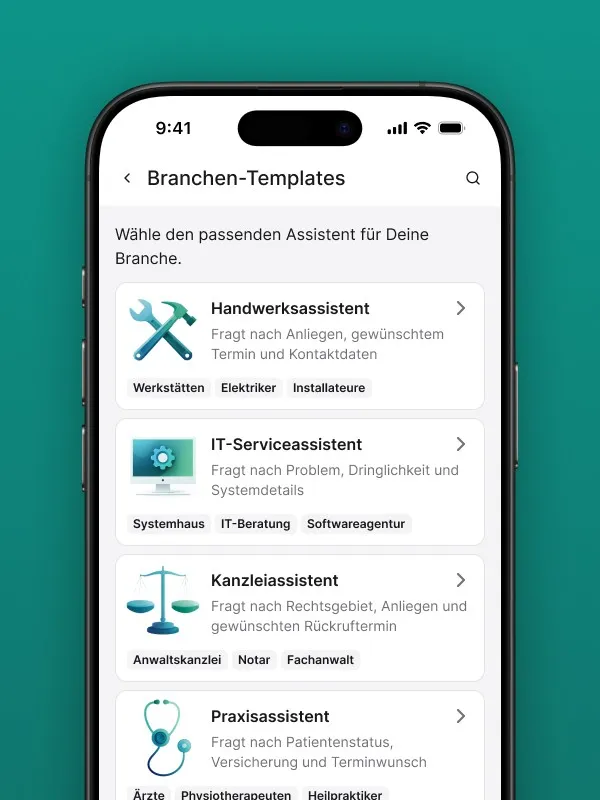
Which Industries Have Templates?
We’re continuously expanding our template library. Currently, you’ll find templates for:
- Trades businesses
- Medical practices & therapists
- Real estate offices
- Agencies & IT service providers
- Studios & salons
- …and a general template that serves as a great starting point for all other industries.
How to Select a Template
There are two moments when you can apply a template.
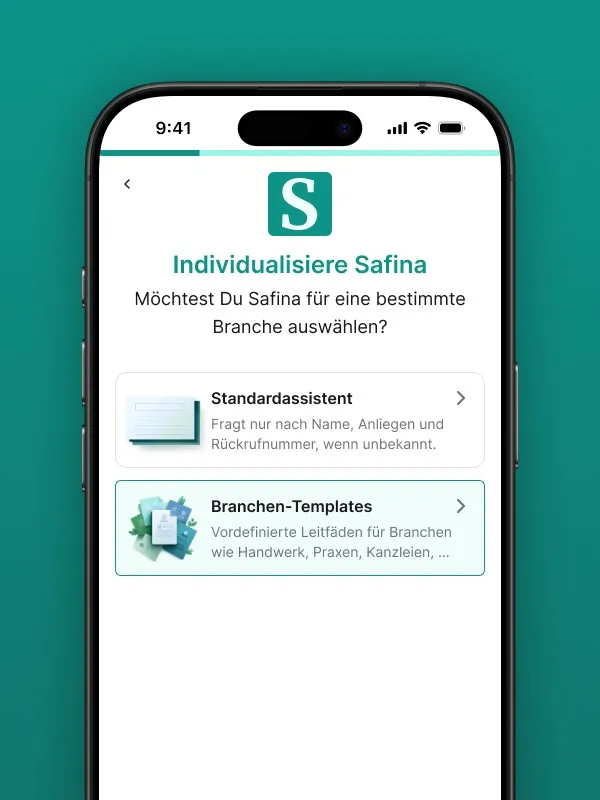
During Initial Setup (Onboarding)
The easiest way is right when you create your account. As described in the setup article, you’ll be offered a selection of templates at the end of the onboarding process. Simply choose your industry and start immediately with a professional configuration.
Applying or Switching a Template Later
You can also select or replace a template at any time.
- Go to the “Safina AI” tab.
- There you’ll find an option like “Apply template”.
- Choose a template that fits your industry.
- Decide which instructions you want to adopt for your Safina and which ones you don’t.
- Finally, you can choose to… add the selected instructions to your existing ones.
- … or completely replace your existing instructions. Please note that in this case, all existing instructions will be deleted.
Start Like a Pro
Using an industry template is our recommended starting point for nearly all users. You save a tremendous amount of time, benefit from a field-tested conversation structure, and ensure that no important questions are missed.
Your Safina Team