

| Prerequisite | Requirement |
|---|---|
| Safina Plan | Professional or higher |
You’ve already learned how to teach Safina to ask direct questions during a conversation. But what if your assistant could do even more? What if it could also detect things that are not explicitly said?
That’s exactly what custom AI evaluations do. Here, you task a second, specialized AI that analyzes the entire conversation transcript after the call, searching for hidden characteristics you’ve defined.
Why Not Just Ask Directly?
Some information is better obtained through analysis than through a direct question.
A good example is urgency. If you ask a caller directly, “Is this an emergency?”, the answer will often be “Yes” out of fear of being ignored. An AI, however, can assess urgency far more objectively from context. It pays attention to word choice (“everything is flooded,” “there’s a smell of gas”) and phrasing to distinguish genuine urgency from perceived urgency.
You can put exactly this capability to work for you.
How to Create a Custom Evaluation
The setup is straightforward and follows a similar logic to creating questions in the conversation guide.
-
Find the Right Menu Item
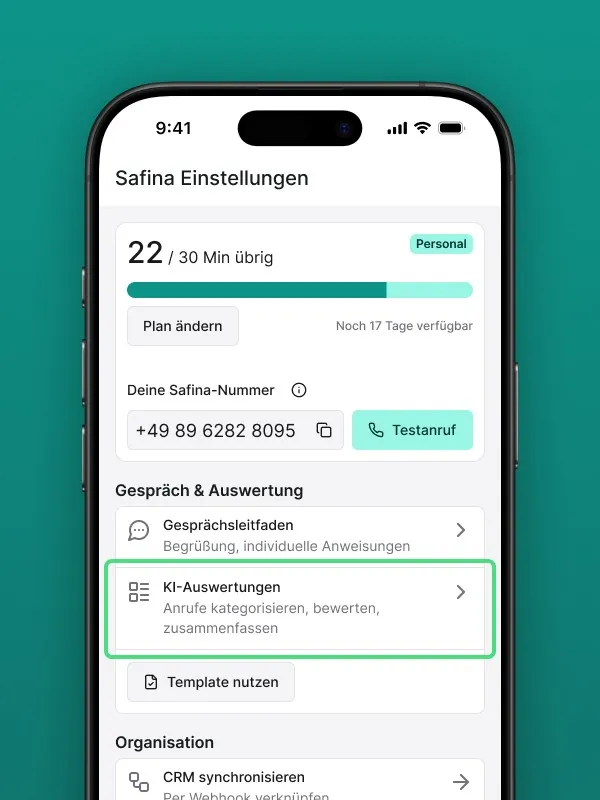 In your Safina app, go to the “Safina AI” tab. Scroll all the way down in the configuration list and select “Custom AI evaluations”.
 -
Create a New Evaluation
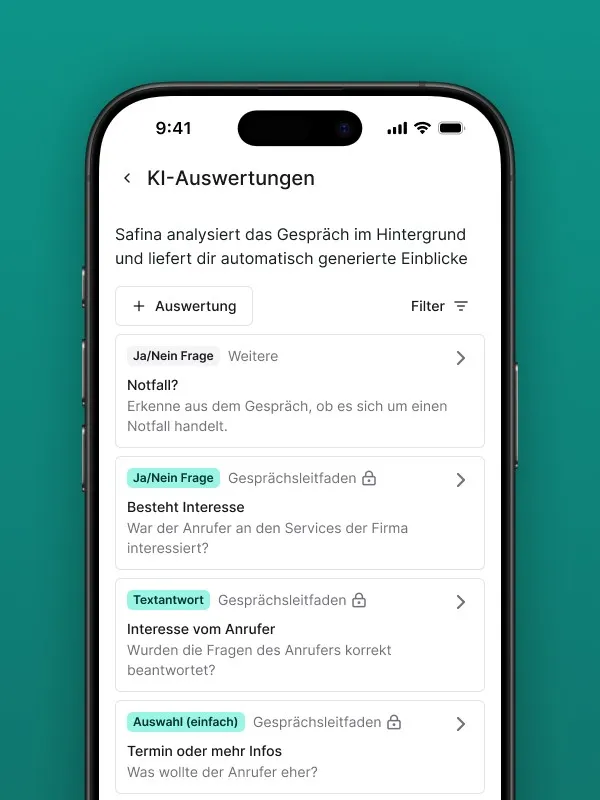 Click the ”+ Evaluation” button or a similar plus icon. You’ll now see the familiar form where you can enter a title and select an evaluation type (e.g., Yes/No, Rating, etc.).
 -
Choose the Evaluation Format
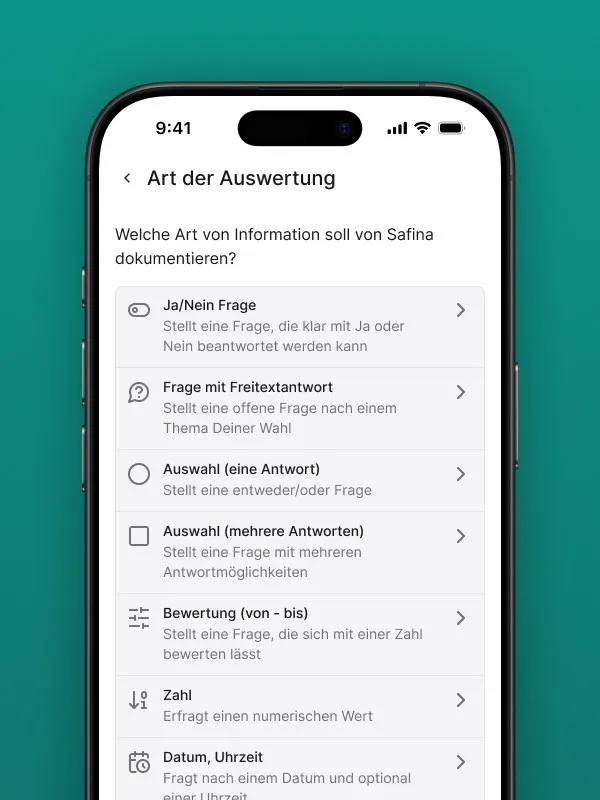 Decide what format the information should have that Safina looks for in the conversation. This lets you standardize evaluations across call summaries and search for the same information consistently.
 -
Write the Instruction for the AI
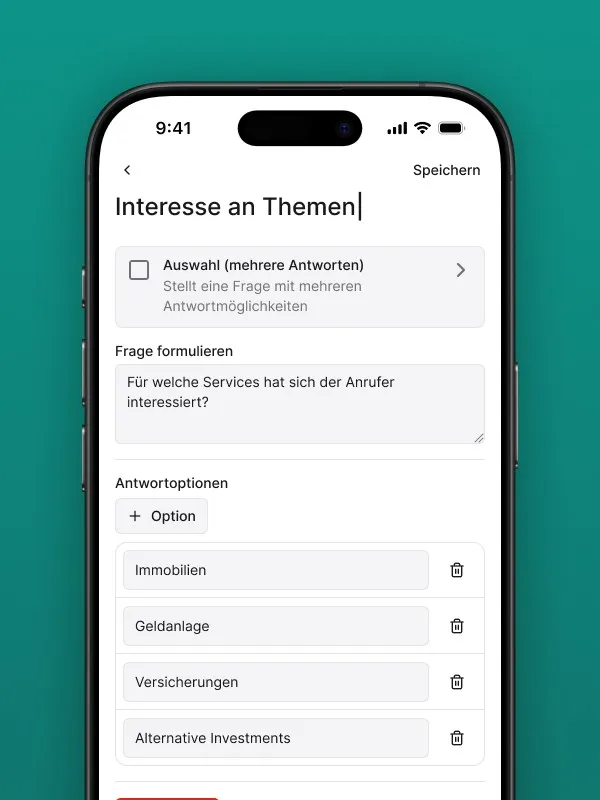 Here’s the key difference. In the large text field, you don’t write a question for Safina to ask the caller. Instead, you write a clear assignment for the analysis AI that reads the conversation after the fact.
Practical Example: Detecting “Revenue Potential”
Let’s walk through a concrete example. We want Safina to automatically detect whether a caller is a potential new customer with a lucrative project.
- Click “Add evaluation”.
- Enter a title: Type something like Revenue Potential.
- Choose a type: Select “Yes/No question” as the evaluation type.
- Write the instruction: Write your precise assignment for the AI in the instruction field. Be as specific as possible. For example:
“Analyze the entire conversation transcript. Return ‘Yes’ if the caller is a potential new customer AND signals interest in a comprehensive service or expensive product (examples: full bathroom renovation, new website development, purchase of a new car). Return ‘No’ if it’s a minor repair, a simple question, or an existing customer with a support issue.”
- Save: Click “Save.” Your new, intelligent evaluation is now active for every call. You’ll find the result in the AI evaluations section of each call summary going forward.
Your Invisible Data Analyst
These background evaluations are like an invisible analyst helping you better prioritize your calls, spot sales opportunities, and understand your customers on a deeper level — all fully automated.
Your Safina Team