

The Morning Rush: When the Phone Won’t Stop Ringing
It’s Monday morning, 8:05 AM. The waiting room is slowly filling up, and the phone starts ringing non-stop. Almost every call has the same goal: “I need an appointment.” For your front desk team, this marks the beginning of the daily appointment pressure — a balancing act between caring for patients in the office and handling the endless flood of calls.
This situation is more than just stressful. It leads to a vicious cycle that directly affects the quality of your patient care: your team is distracted by calls, which leads to longer wait times at the front desk. Meanwhile, callers hang on the line in frustration because someone at the desk is currently attending to a patient. The result: stressed-out staff and unhappy patients on every channel.
The Vicious Cycle of Calls and Wait Times
The core problem is that every call demands an immediate response and directly interrupts your staff’s workflow. A patient on the phone can’t see that a sensitive situation is being handled at the front desk. Conversely, a patient at the desk doesn’t feel valued when the receptionist is more occupied with the phone than with them.
Traditional solutions like fixed phone hours often just compress all the calls into a short time window, increasing the pressure even further. Online booking tools are an excellent step forward, but they often don’t reach older or less tech-savvy patients who continue to pick up the phone.
The Solution: Let the Phone Work Proactively for You
Instead of just reacting to the rush, you can design the phone appointment scheduling process so that it actively takes the pressure off your system. The key is to channel and pre-qualify requests before they ever reach your team.
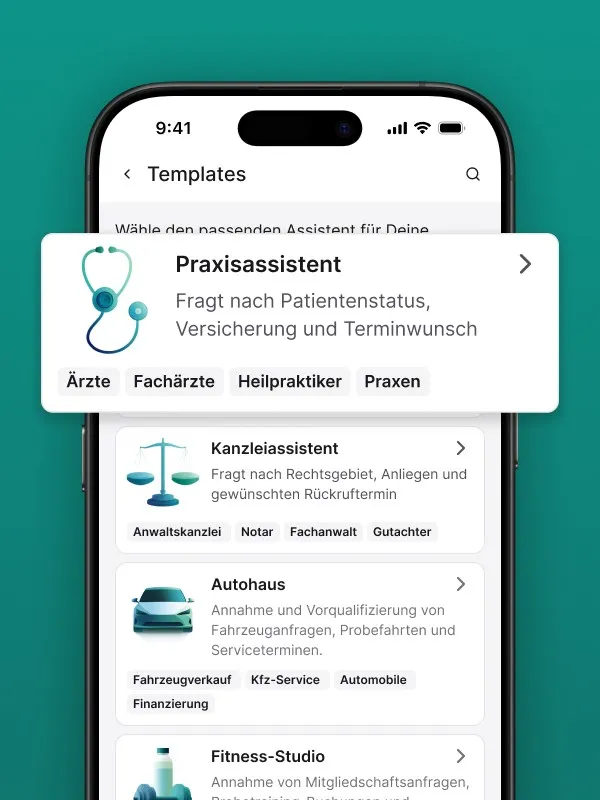
An AI-powered practice assistant like Safina, for example, can act as an intelligent “traffic controller” for your calls. It answers every call immediately and clarifies the caller’s intent without your staff needing to step in.
- Filter inquiries: The assistant can start by asking: “Is this about an acute emergency, an appointment request, or a prescription refill?” This sorts the inquiries right away.
- Capture information: For appointment requests, the system collects all relevant data: is this a new or existing patient? What is their insurance type? What is the reason for the appointment (e.g., preventive care, acute symptoms)?
- Intelligent follow-up options: Based on the answers, the system can take different actions:
- It can send a clean, structured appointment request via email to your team, who can then return the call at a convenient time.
- It can send the patient a link to your online scheduling calendar via SMS, so they can independently book a suitable appointment.
By automating the initial inquiry, you break the vicious cycle. The phone no longer rings off the hook, the hold queue becomes a thing of the past, and your front desk team has the headspace and hands free for what matters most: providing personal, attentive care to the patients who are already in your practice.