
One Call That Brings Everything to a Halt
As an IT service provider, you know this situation: a technician is deep into solving a complex server issue, and suddenly the support phone rings. Every interruption is costly because it pulls an expert out of the zone. But ignoring the call isn’t an option. It could be a critical emergency — a server outage at one of your most important clients, losing real money for every minute of downtime.
This dilemma often leads to a reactive and chaotic support routine. The phone is the fastest but also the most unstructured way to report a problem. There’s no prioritization and no organized intake.
The Problem: Equal Treatment for Unequal Issues
In a simple call log, the “my printer isn’t working” problem from a single user is treated the same as the “our entire database is offline” report from a 50-person company. This lack of prioritization isn’t just inefficient — it actively jeopardizes your Service Level Agreements (SLAs).
On top of that, there’s the manual effort: a technician has to take the call, understand the problem, ask follow-up questions, and then painstakingly type all the information into a ticket system by hand. This process is slow, error-prone, and ties up highly qualified work time on an administrative task.
The Solution: Turn Your Phone into an Intelligent Ticket System
Imagine your phone didn’t just ring but independently handled first-level support. It would capture your customers’ problems in a structured way, sort them by urgency, and automatically create a perfect ticket in your helpdesk system.
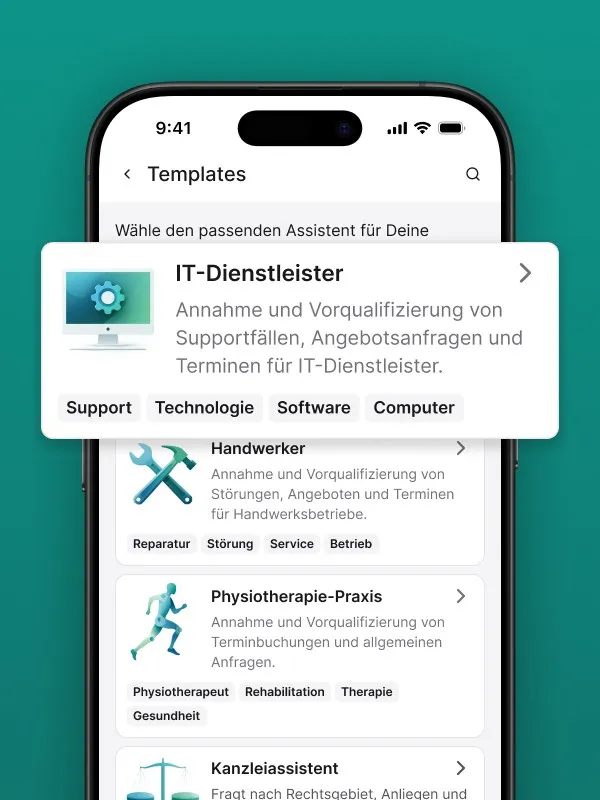
That’s exactly what intelligent call management delivers. An AI-powered phone assistant like Safina can serve as your automated first-level support. You define the process; the assistant executes it:
- Structured issue capture: The assistant guides the caller through a clear question-and-answer dialogue to narrow down the problem. “Does this issue affect only you or your colleagues as well?”, “Can you tell me the exact error message?”, “Have you already tried restarting?”
- Automatic prioritization: Based on keywords (“server down,” “network offline,” “can’t work”) or the user’s responses, the system automatically classifies the case. You set the rules to match your SLAs. A P1 emergency is immediately recognized as such.
- Seamless ticket creation: The system takes all captured information — caller, company, problem description, conversation transcript, priority level — and can send it via webhook directly to your existing ticket system (e.g., Jira, Zendesk, ServiceNow). A new, complete ticket is automatically created.
Your technicians no longer have to take calls. They open their ticket queue and find a prioritized list of perfectly documented tasks. They can start the actual problem-solving work right away. The result is drastically reduced response times, higher efficiency, and demonstrably better compliance with your service commitments.
See how the phone assistant is set up for IT service providers