

Forwarding calls from your smartphone is the fastest and most direct way to activate Safina. We’ve made this process as simple as possible — the app does most of the work for you.
This guide walks you through the few steps needed to activate your mobile shield against unwanted interruptions.
Setup in 3 Clicks
All you need for this process is the Safina app installed on your smartphone (iOS or Android).
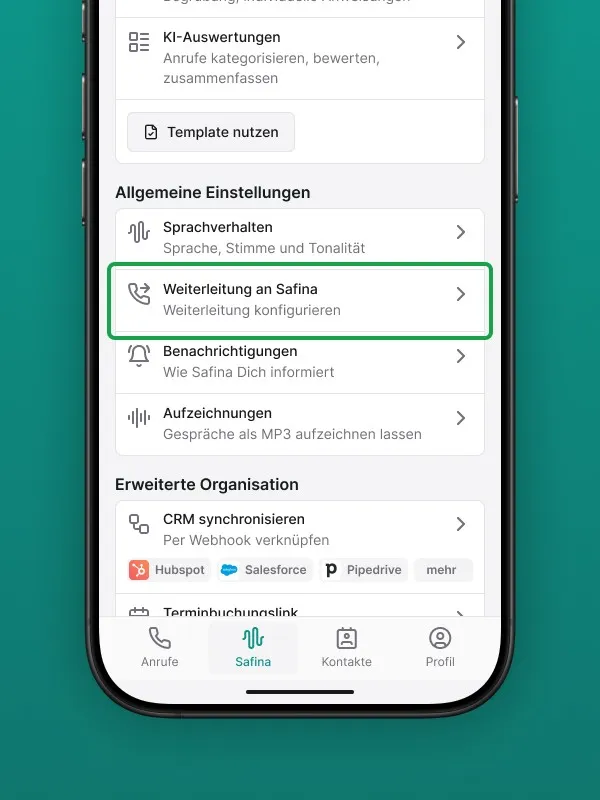
Step 1: Open the Configuration Tab
Open the Safina app on your phone and go to the central settings area, the “Safina AI” tab.
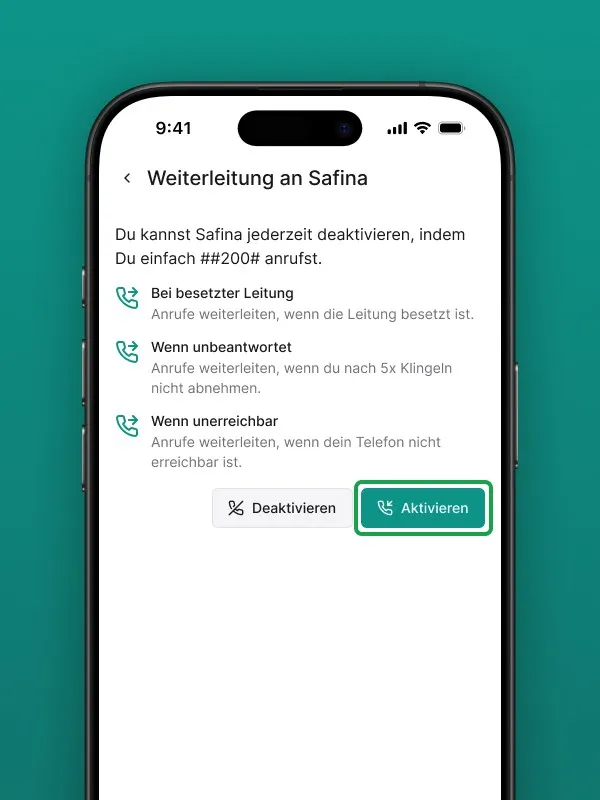
Step 2: Start the Forwarding
Tap on the “Call Forwarding” menu item. The app will now show you the standard rules for when forwarding occurs (typically when your line is busy, you’re unreachable, or you decline the call).
Click the “Activate” button.
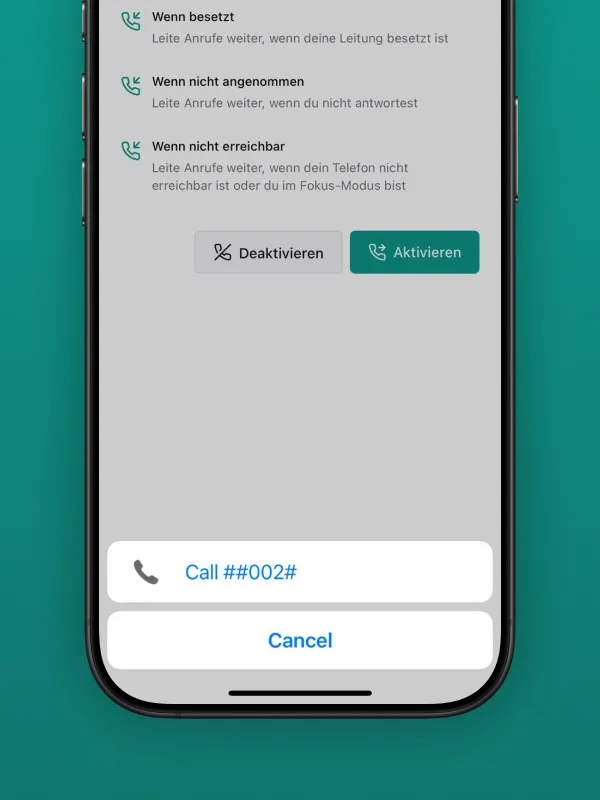
Step 3: “Call” the Control Code
Now comes the clever part that saves you from manual entry:
- The Safina app automatically opens your phone’s Phone app.
- In the dial pad, you’ll see a fully pre-filled code (e.g., **62*YOUR_SAFINA_NUMBER#). This is a USSD code, a direct control command to your mobile carrier.
- All you need to do is tap the green call button to “dial” this code.
- After a brief moment, you’ll see a confirmation from your carrier directly on your screen.
Confirmation on iOS
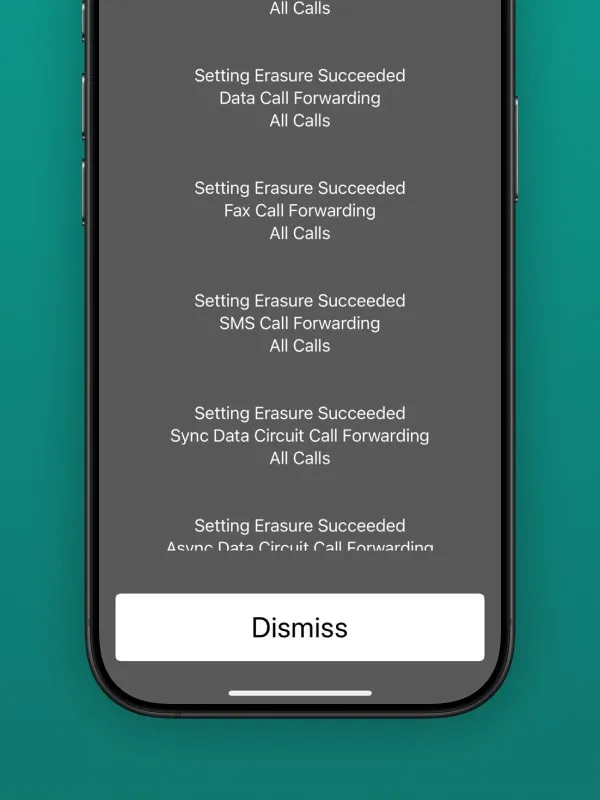
Confirmation on Android
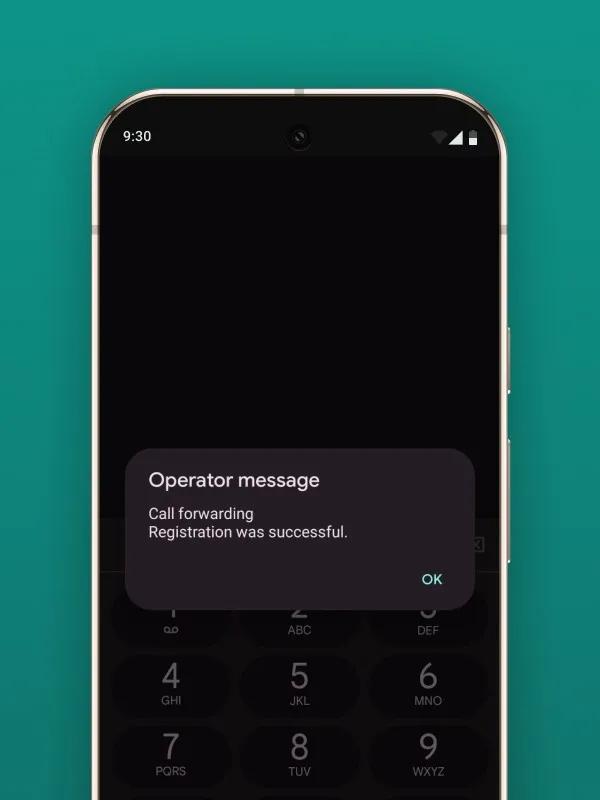
Done! Your call forwarding is now active.
Test Your Setup
To make sure everything works, we recommend a quick test. Simply ask a colleague or friend to call your mobile number. Decline the call or let it ring out. Your Safina should now take over the conversation.
How Do I Deactivate the Forwarding?
Want to pause or completely remove the forwarding? It’s just as easy.
Open the Phone app on your device, enter the code ##002#, and tap the call button. This universal code clears all call forwarding rules active on your SIM card. You’ll receive a confirmation from your carrier for this as well.
Your Mobile Shield Is Active
In less than a minute, you’ve configured your phone so that no important call goes unanswered while you still stay in control of your time.
Your Safina Team