

Your business is growing and so are your needs. Maybe you need more monthly call minutes, or you’d like to use an advanced feature like CRM integration or full calendar connectivity.
Upgrading your Safina subscription is possible at any time and can be done easily right within the app. Here’s how.
Upgrade Your Plan in 3 Steps
The process is designed so you can find and activate exactly the plan you need in just a few clicks.
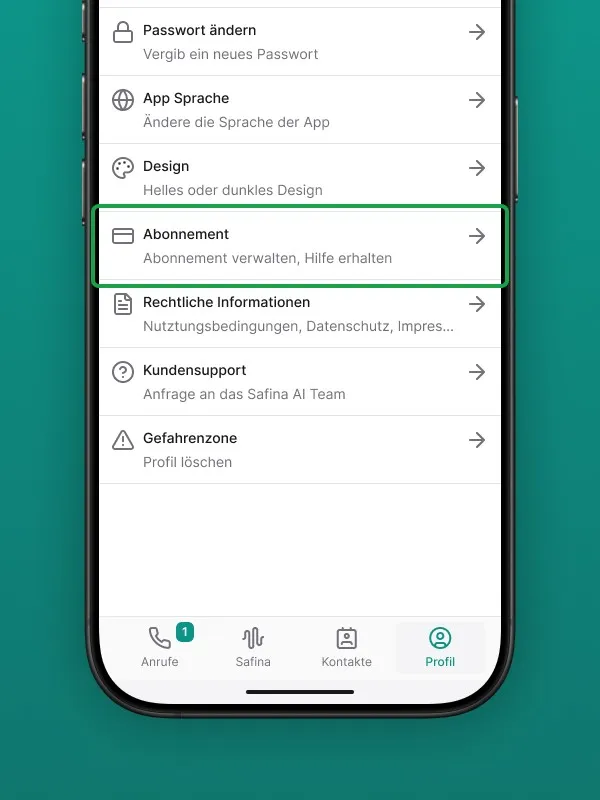
Step 1: Navigate to the Profile Tab
Open your Safina app, whether on your smartphone or in the web browser. Navigate to the “Profile” tab, which you’ll find on the far right of the bottom menu bar.
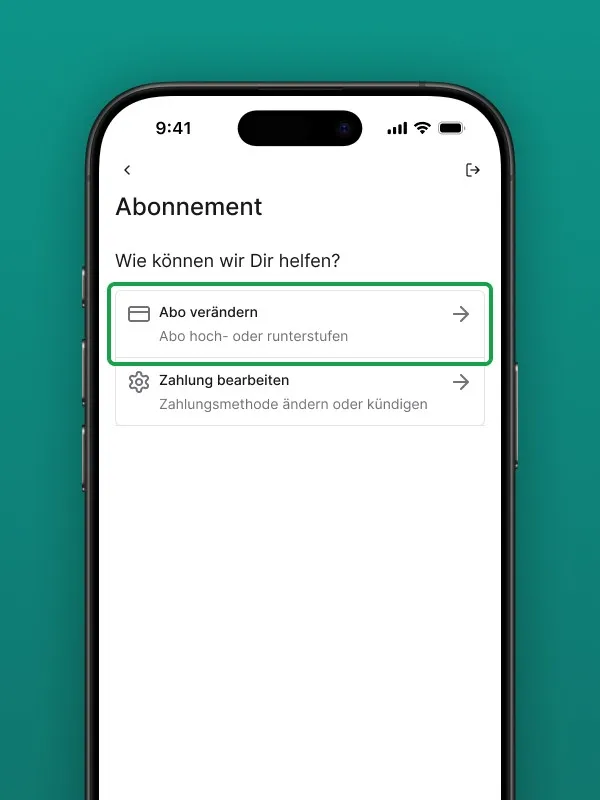
Step 2: Open Subscription Management
In the Profile menu, look for “Manage Subscription” or “My Plan” and tap on it.
You’ll now see an overview that shows your current plan and presents the other available plans with their respective benefits and features.
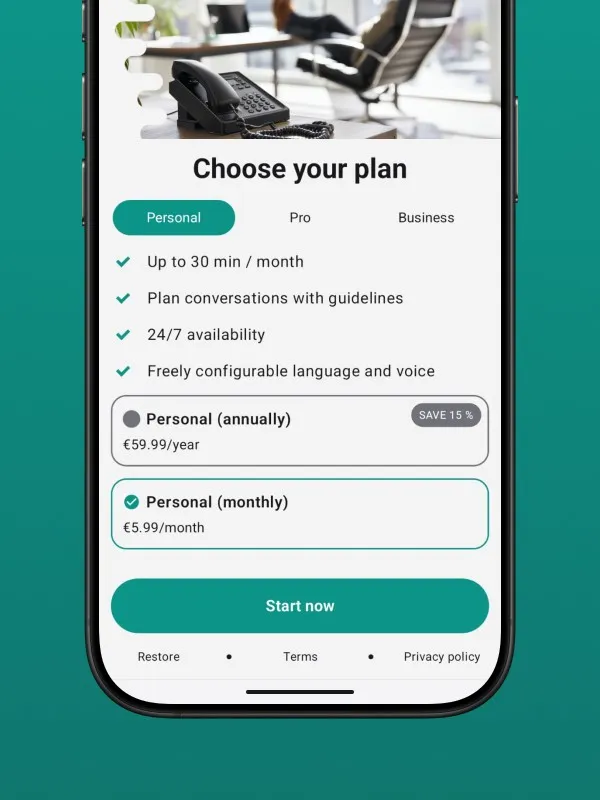
Step 3: Select and Confirm Your New Plan
Compare the features and choose the plan that best fits your current needs.
- Click the button under your desired plan, e.g., “Upgrade to Business”.
- The app will guide you through the secure payment and confirmation process.
- Once confirmed, your upgrade is complete.
What Happens Right After the Upgrade?
No waiting required. Your new features and additional call minutes are available to you immediately.
Billing is adjusted accordingly. You’ll see the exact details during the upgrade process and on your next invoice. You can start taking advantage of Safina’s expanded capabilities right away.
Your upgrade is a clear sign of your growth. We’re excited to be part of that journey.
Your Safina Team