
Your 24/7 AI-powered Phone Exchange
Safina AI takes care of your customers around the clock, so you can focus on your work.
Sales agent or phone assistant – you decide
Inbound
Use Safina as your phone secretary
Intelligent first contact
Capture new customer requests efficiently and professionally. Safina categorizes inquiries and routes them to the right contacts.
24/7 customer service
Provide continuous support for standard inquiries. Safina answers FAQs, provides status information, and handles general queries.
Complaint management
Turn dissatisfied customers into enthusiastic ones. Safina records complaints, escalates when needed, and organizes qualified callbacks.
Flexible appointment management
Optimize your scheduling automatically. Safina schedules, reschedules, and cancels appointments based on your resources.
Intelligent overflow management
Stay reachable even during high call volumes. Safina supports during peak times, holidays, and staffing shortages.
Multilingual support
Serve international customers professionally. Safina detects languages automatically and communicates in a culturally appropriate way.
Emergency and on-call service
Respond immediately to urgent cases. Safina prioritizes emergencies and activates your on-call chain.
Industry-specific solutions
Use tailored call workflows. Safina adapts to your industry – from medical practices to skilled trades.
Outbound
Let Safina make calls for you
Automated lead qualification
Accelerate your sales through intelligent follow-up. Safina qualifies your leads and schedules sales appointments directly.
Proactive process management
Optimize your workflows through automated communication. Safina handles appointment reminders, follow-ups, and updates.
Dynamic campaign management
Maximize your marketing success through targeted communication. Safina informs about promotions and collects feedback.
Automated customer retention
Strengthen customer relationships through personal communication. Safina conducts surveys and informs about your offers.
Professional cold calling
Open up new markets through systematic customer acquisition. Safina identifies needs and hands you qualified contacts.
Inbound
Use Safina as your phone secretary
Outbound
Let Safina make calls for you
Intelligent first contact
Capture new customer requests efficiently and professionally. Safina categorizes inquiries and routes them to the right contacts.
24/7 customer service
Provide continuous support for standard inquiries. Safina answers FAQs, provides status information, and handles general queries.
Complaint management
Turn dissatisfied customers into enthusiastic ones. Safina records complaints, escalates when needed, and organizes qualified callbacks.
Flexible appointment management
Optimize your scheduling automatically. Safina schedules, reschedules, and cancels appointments based on your resources.
Intelligent overflow management
Stay reachable even during high call volumes. Safina supports during peak times, holidays, and staffing shortages.
Multilingual support
Serve international customers professionally. Safina detects languages automatically and communicates in a culturally appropriate way.
Emergency and on-call service
Respond immediately to urgent cases. Safina prioritizes emergencies and activates your on-call chain.
Industry-specific solutions
Use tailored call workflows. Safina adapts to your industry – from medical practices to skilled trades.
Automated lead qualification
Accelerate your sales through intelligent follow-up. Safina qualifies your leads and schedules sales appointments directly.
Proactive process management
Optimize your workflows through automated communication. Safina handles appointment reminders, follow-ups, and updates.
Dynamic campaign management
Maximize your marketing success through targeted communication. Safina informs about promotions and collects feedback.
Automated customer retention
Strengthen customer relationships through personal communication. Safina conducts surveys and informs about your offers.
Professional cold calling
Open up new markets through systematic customer acquisition. Safina identifies needs and hands you qualified contacts.
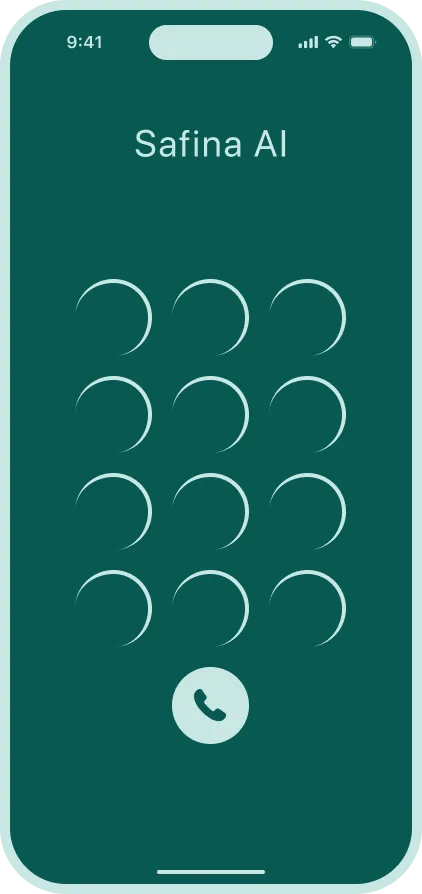

Want to hear Safina for yourself?
Just give it a ring. Call the number shown and have a test conversation with Safina.
Safina is far more than a marginal improvement
Traditional call service
Safina AI
Modern solution
Cost per full-time employee
Availability
Simultaneous calls
Time to answer
Languages
Documentation
Consistency
Scalability
Sick leave / vacation
Quality management
Knowledge base
Comparison
Traditional call service
Safina AI
Modern solution
How Safina integrates into your company




Strategy call
In a short call, we analyze your telephony, identify the most important use cases, and create a cost projection for your company.
Integration into existing systems
We define conversation flows, set up intelligent routing rules, and integrate Safina into your existing systems such as CRM and calendar.
Testing & optimization
During a two-week parallel operation, we monitor all conversations in real time, fine-tune the workflows, and incorporate feedback.
Full integration
After a successful test phase, we activate all desired communication channels and Safina seamlessly takes over your telephony.
No human can know everything ...
In traditional call services, multiple service experts often need to work together. This requires a lot of coordination and constant information exchange.
Sarah
Customer Service
Thomas
Product Advisor
Emma
Tech Support
... but a Safina can
Safina consolidates relevant business data in a large knowledge database that can be flexibly expanded and customized.

These professionals already trust Safina

Since I started using Safina, I finally have time again for quality candidate conversations. The precise call summaries help me prioritize applicant inquiries efficiently.

I was initially skeptical whether the technology was mature enough. But Safina convinced me — it reliably identifies important customer calls and filters out spam. Now I can fully focus on my teams in meetings without missing important calls.

My patients really appreciate being greeted professionally even outside office hours. Safina does a great job as the first point of contact and documents all information.

I run an IT company and receive many calls every day. Before using Safina, I was constantly interrupted during meetings or while coding. That no longer happens — in focus mode, all calls go to Safina.

Safina's detailed reports are worth their weight in gold. No important point gets lost and I can follow up on customer inquiries in a targeted way.

The spam detection is brilliant! I used to miss important customer calls because I didn't want to answer unknown numbers. Now Safina protects me from fake sweepstakes and aggressive sales calls.
Since I started using Safina, I finally have time again for quality candidate conversations. The precise call summaries help me prioritize applicant inquiries efficiently.
I was initially skeptical whether the technology was mature enough. But Safina convinced me — it reliably identifies important customer calls and filters out spam. Now I can fully focus on my teams in meetings without missing important calls.
My patients really appreciate being greeted professionally even outside office hours. Safina does a great job as the first point of contact and documents all information.
I run an IT company and receive many calls every day. Before using Safina, I was constantly interrupted during meetings or while coding. That no longer happens — in focus mode, all calls go to Safina.
Safina's detailed reports are worth their weight in gold. No important point gets lost and I can follow up on customer inquiries in a targeted way.
The spam detection is brilliant! I used to miss important customer calls because I didn't want to answer unknown numbers. Now Safina protects me from fake sweepstakes and aggressive sales calls.
Use Safina in your company

Frequently Asked Questions
What is Safina AI and how does it work?
Safina is an AI-driven personal voicemail assistant that manages your calls by responding to missed or declined calls. It identifies spam or phishing calls, provides actionable summaries of interactions, and helps you avoid unnecessary interruptions.
Full feature overviewHow does Safina decide which calls she should answer?
Safina automatically answers a call when you decline it, miss it, or when you are in focus mode. This ensures that important calls are managed effectively without interrupting you.
Learn about call forwardingCan Safina book appointments for my callers?
Yes. Safina connects to Google Calendar and Microsoft Outlook to check your availability and book appointments directly during the call. If you prefer, Safina can also send callers an SMS with a link to your booking page, whether that's Cal.com, Calendly, or any other tool you use.
Set up calendar integrationDoes Safina learn about my business over time?
In a way, yes. You give Safina instructions about your business, your services, how to handle certain situations, and what to ask callers. The more details you add over time, the better Safina handles your calls. Think of it like building a playbook that Safina follows on every call.
Build your conversation guideCan I connect Safina to my business software?
Yes. Safina integrates with popular tools like Pipedrive, HubSpot, and Google Calendar directly. For everything else, you can use automation platforms like Zapier, Make, or n8n to connect Safina to almost any software you already use. Call data flows into your existing workflows automatically.
See all integrationsCan Safina receive international calls?
Yes, Safina can handle international calls regardless of the subscription and provides consistent call management worldwide.
Multilingual call handlingHow can I personalize Safina?
Safina's voice, tone, and language can be adjusted at any time in the Safina app to customize your mailbox assistant according to your preferences. Personal messages can also be added, which Safina should refer to in your conversations with callers.
Customize voice & toneSafina handled 51 calls this week
Trustworthy
Suspicious
Dangerous
Wants to discuss the offer for the new campaign and has questions about the timeline.
Asking about the order status and when the delivery arrives.
Schedule a meeting for the project discussion next week.
Prize promise – probably spam.
Complaint about the last order, asks for a callback.
Wants to discuss a potential collaboration.
Is your colleague and wants to discuss the project.
Asking about available appointments next week.
Has questions about the invoice and asks for clarification.
Wants to discuss the offer for the new campaign and has questions about the timeline.
Key points
- Call back Emma Martin
- Clarify timeline & pricing questions
AI Insights
The caller was cooperative and provided the needed information.
The caller can wait for a response.
Audio & Transcript
Hello, this is Safina AI, Peter's digital assistant. How can I help you?
Hi Safina, this is Emma Martin. I wanted to discuss the offer and the timeline.
Thanks, Emma. Are you mainly deciding between the Standard and Pro package for the launch?
Exactly. We need the Pro package and would like to start next month if onboarding is possible in week one.
Say goodbye to your old-fashioned voicemail.
Try Safina for free and start managing your calls intelligently.