

Why Structured AI Dialogues Make Sense for IT Support
IT support teams deal with a wide range of requests every day: incidents, support inquiries, project requests, or general questions. Especially with technical issues, it’s important to capture the right information quickly without missing any details. With Safina, you can use field-tested prompts specifically designed for IT service providers. Our prompts for IT service providers were developed from real support conversations. They help you stay structured and professional – even when things get hectic.
What Is a Prompt – and How Does It Work with Safina?
A prompt is a structured conversation guide for the AI. It ensures that the right questions are asked in the right order and that answers can be processed directly. Safina remains flexible and adapts its wording to the flow of the conversation.
Example prompt scenario:
| Scenario | Information Collected |
|---|---|
| Incident/Problem | Full name, company, type of problem, affected systems, solutions already tried, callback number |
| Support Request | Full name, company, type of request, urgency, callback number |
| Project Inquiry | Full name, company, rough project description, timeline, callback number |
| General Inquiry | Full name, company, rough description of the matter, callback number |
Learn more: Controlling conversation flows with scenarios
Question Types and Data Formats: Clarity and Structure
The questions in the prompt are designed to produce clear, structured answers. This makes processing easier and keeps everything organized.
Question types at a glance:
| Question | Type | Example Answer |
|---|---|---|
| What is your full name? | Free text | John Smith |
| Which company/department are you calling from? | Free text | IT Department, Company XY |
| Which system is affected? | Free text | Email, printer, VPN |
| What exactly isn’t working? | Free text | No connection to the server |
| What steps have you already tried? | Free text | Restart, password reset |
| What is your callback number? | Free text | 01234 567890 |
Urgency is asked about directly, but Safina can also detect in the background whether it’s a real emergency.
Advanced AI Evaluations in the Background
Not all evaluations happen during the conversation itself. The AI can detect additional information in the background – for example, whether it’s a critical system outage or whether follow-up questions are needed. Safina can tell from the conversation whether an emergency or a particularly critical issue is at hand. This way, you can set priorities more effectively without the caller being explicitly asked.
Learn more: Let Safina create custom AI evaluations in the background
Clear Rules for the AI
To keep the service professional, there are clear boundaries for IT support as well:
- No pricing discussions or quotes
- Appointment scheduling only after all data has been collected
These rules ensure data protection, professionalism, and legal compliance.
Use Field-Tested Templates
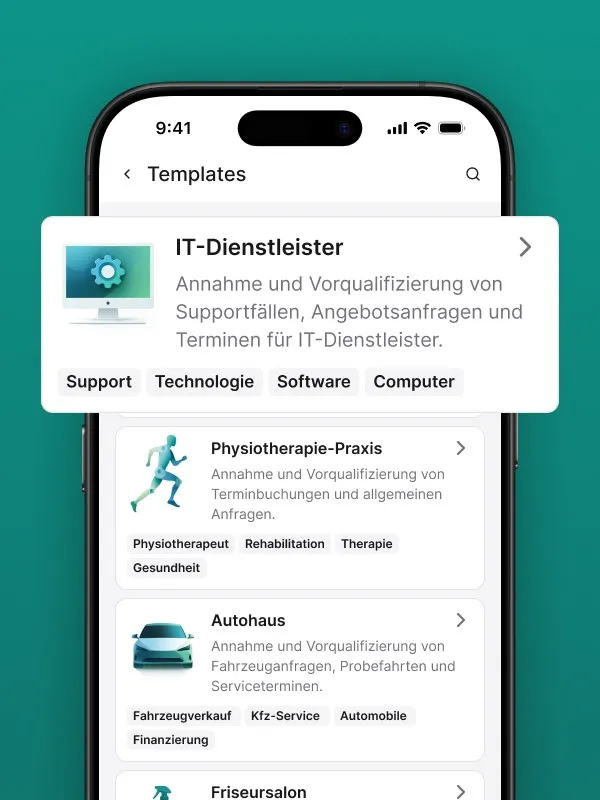
There are ready-made templates for IT support that have proven themselves in daily operations and are ready to use right away.
Learn more: Industry templates: The perfect Safina configuration with one click
Further Information
You can find more details and benefits for IT service providers on the business page.
Learn more: Safina for IT Service Providers – All Features & Benefits
Summary
With structured prompts and clear rules, an AI like Safina can noticeably lighten the load on your IT support phone service. Workflows remain transparent, data is cleanly structured, and requests are handled in a friendly and professional manner – even when you can’t pick up the phone yourself.