Additional minutes: This is how pay-as-you-go minute-based payment works
You don't want to miss any calls when your inclusive minutes are used up? Discover Safina AI's flexible pay-as-you-go model for full reachability.

Setup
For companies with fluctuating call volumes, availability is often a question of scalability. When the minute quota included in the plan is exhausted, the minute-based payment ensures that Safina AI continues to take calls, book appointments, and filter spam.
In this article, you'll learn how to use the pay-as-you-go feature while keeping full control over costs.
Availability
The option to flexibly bill additional minutes is available for all plans with a monthly base fee.
Feature | Details |
Availability | All paid Safina plans |
Billing Model | Pay-as-you-go (monthly billing) |
Setup | Exclusively via the Safina web app |
Why the setup is only possible through the web app
You may have noticed that while you see the additional minutes in your mobile app, you cannot activate them there. There is a simple reason for this: The large app stores of Apple and Google impose very restrictive requirements for flexible billing models on us as a start-up and also demand high fees on every revenue.
In order to offer you fair minute prices without this "store surcharge," we decided to handle the minute-based payment exclusively through our web app. There, we maintain full control over the cost structure and pass this advantage directly on to you.
You can find the current price per additional minute as well as an overview of the plans here:
Step-by-Step: How to Activate Additional Minutes
The setup only takes a few moments and is done centrally through your browser:
Login to the Web App
Log in at app.safina.ai with your account data.
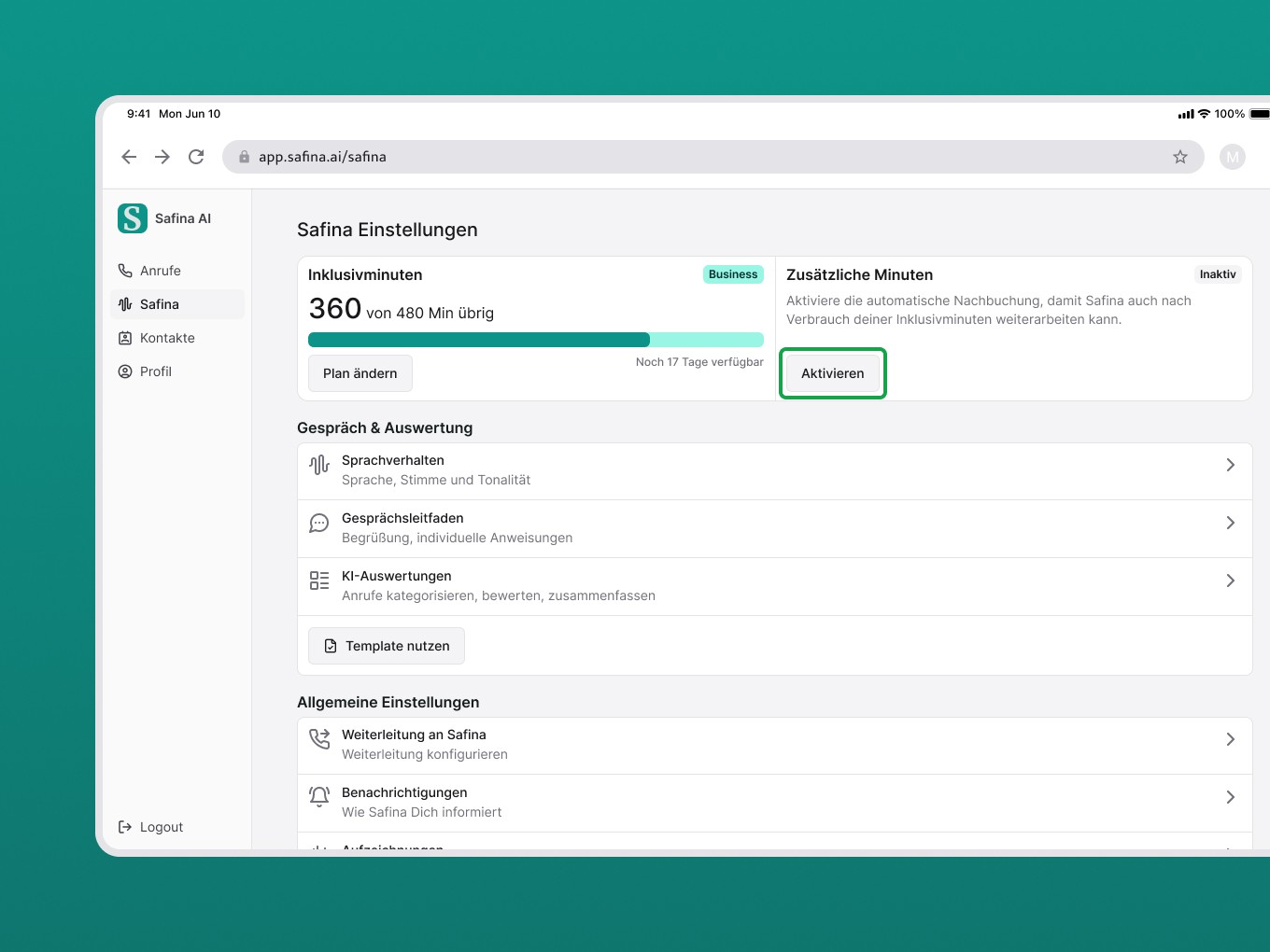
Select Area
Navigate to the menu item “Safina” in the sidebar.
Start Activation
Click on the field “Additional Minutes” and toggle the switch for “Activate minute-based payment”.
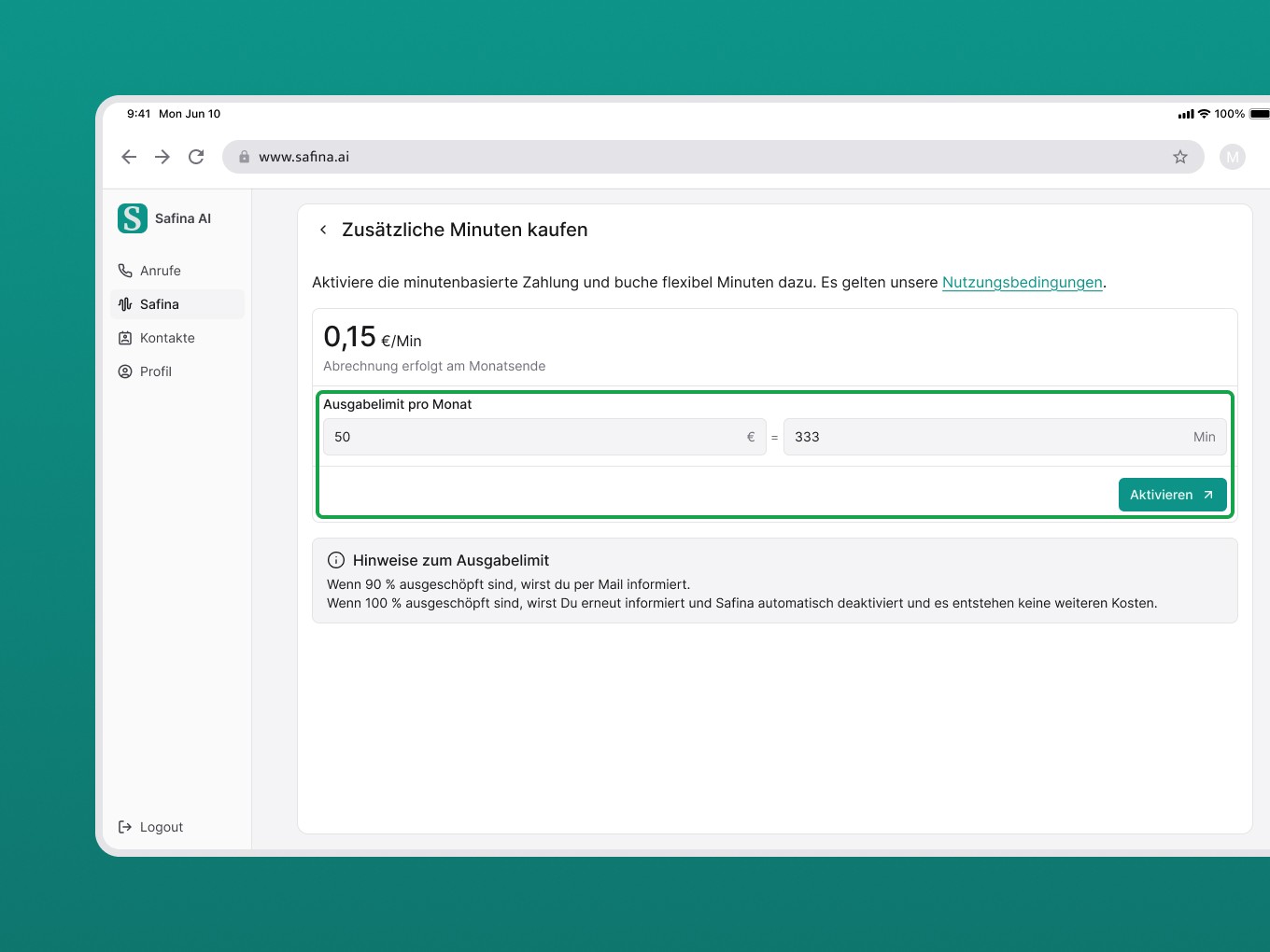
Set Limit
Set how much you want to spend additionally at most. You can easily define the limit in euros or minutes.
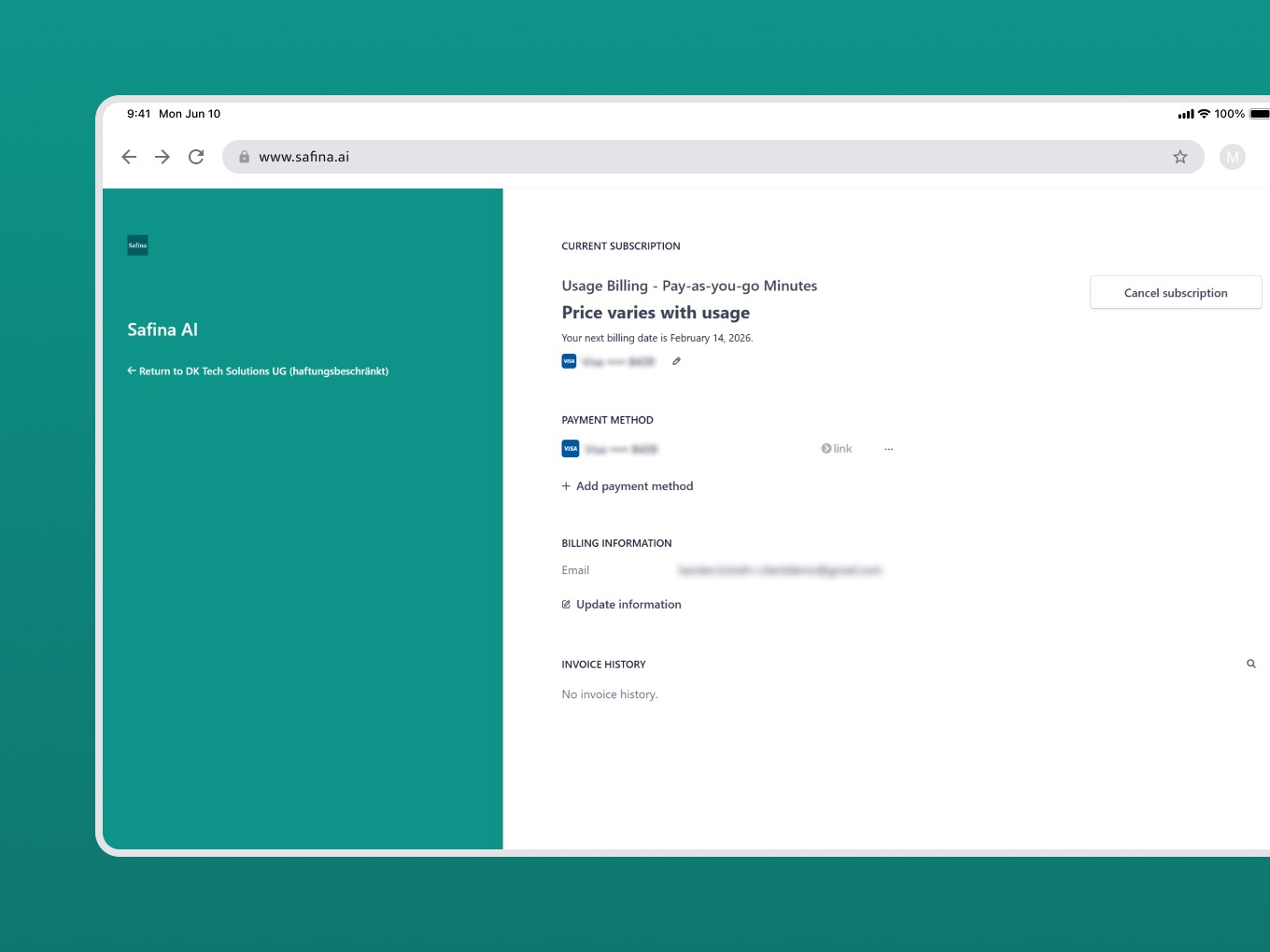
Enter Payment Details
In the final step, enter your payment details for billing via Stripe (e.g., SEPA direct debit or credit card).
Cost Control and Notifications
To avoid unplanned expenses, Safina works with a transparent limit system. You will be proactively informed so that you are not caught by surprise:
90 %-Warning: If you have used 90 % of your set limit, you will receive an email notification.
100 %-Stop: As soon as the limit is fully reached, we will inform you again. To maintain your budget, Safina will automatically stop the service and will not exceed the limit.
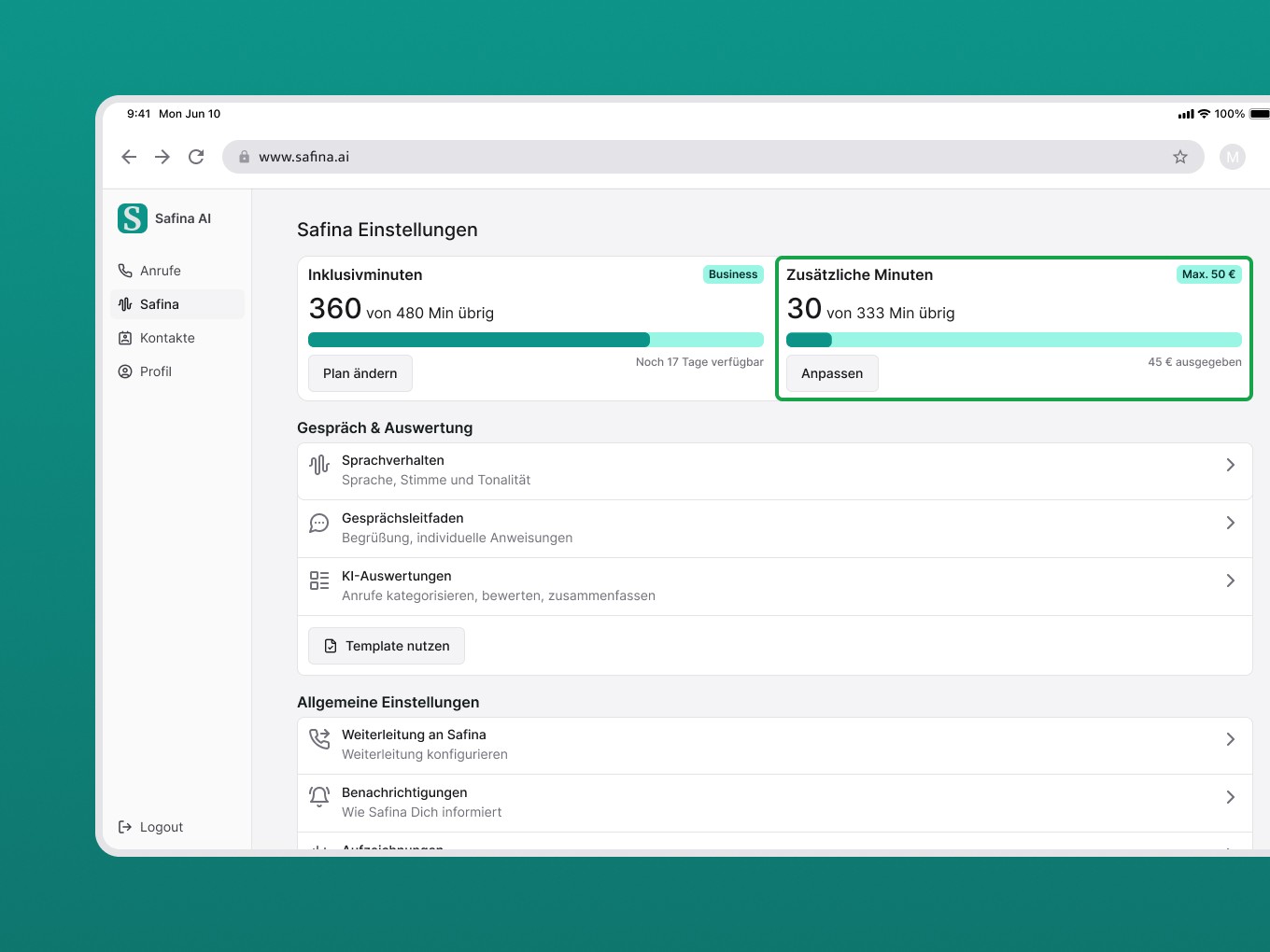
You can adjust, increase, or completely deactivate this limit at any time in the web app.
