
| Prerequisite | Requirement |
|---|---|
| Safina plan | Pro or Business |
| Your role in Safina | Owner or admin of the team |
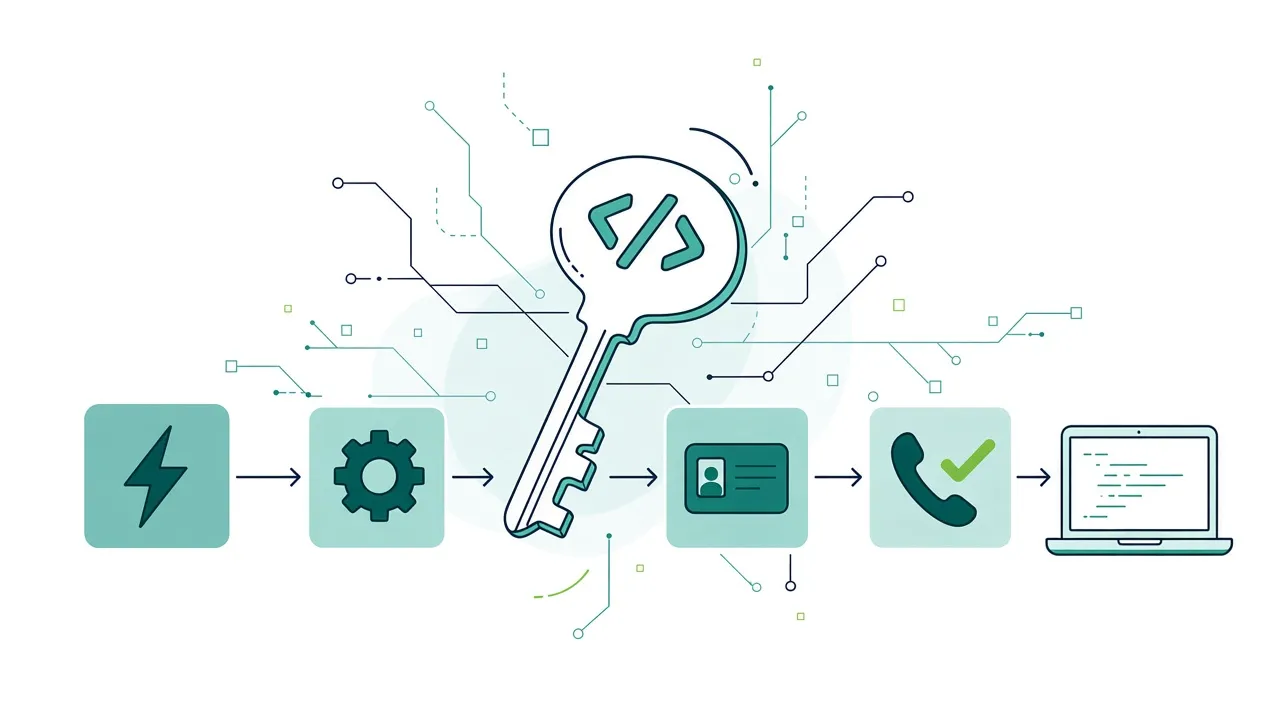
An API key lets an automation tool use the Safina REST API for your team. With a key, Zapier, n8n, Make or your own script can read your calls and their summaries, find and create contacts, and start a workflow after every call. The key works only for the Safina API. AI apps such as Claude or ChatGPT connect in another way: see Connect Safina to your AI assistant.
Create an API key
- In the Safina app, open the Profile tab and tap API keys.
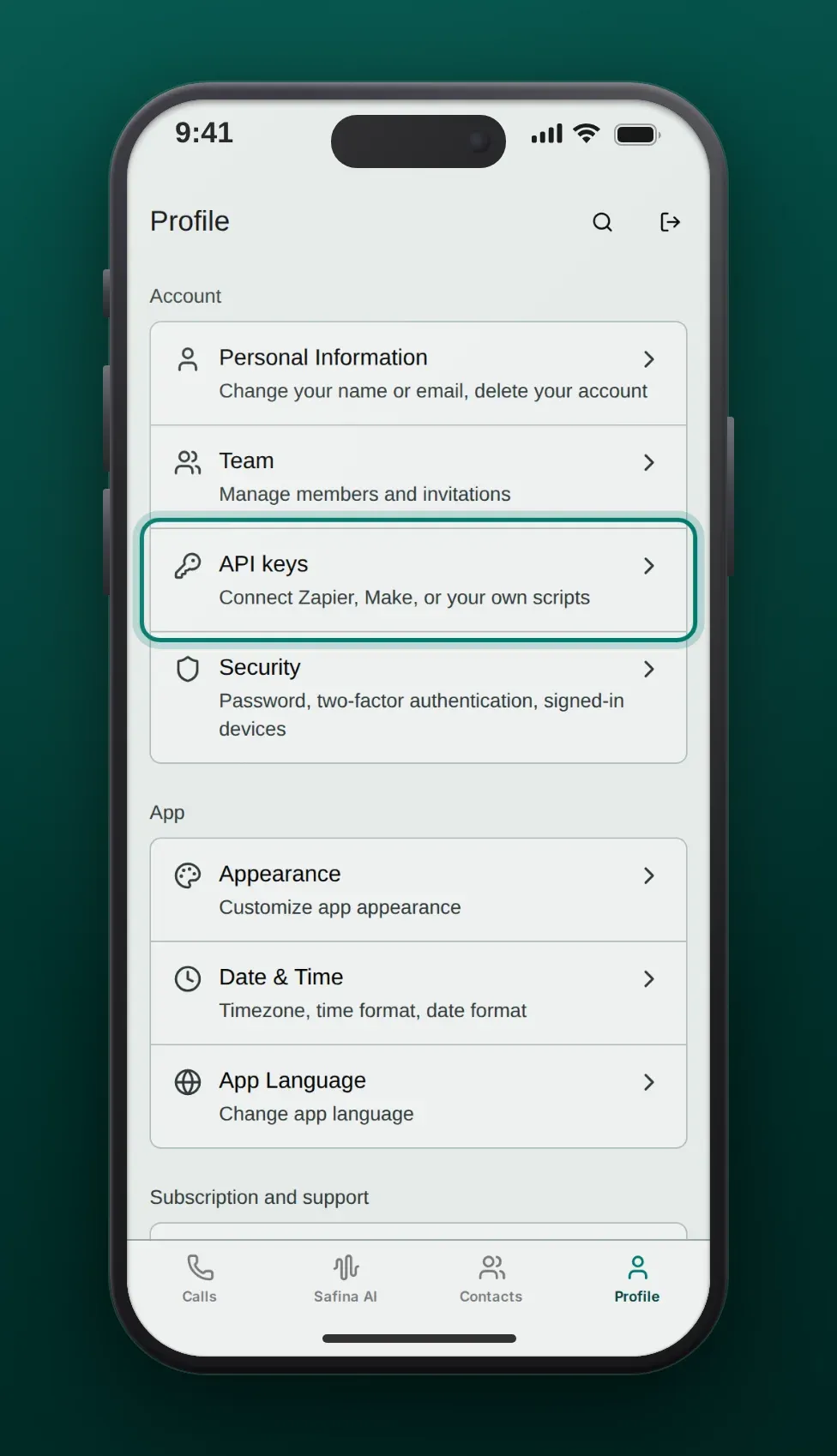
- Tap + next to Your API keys. If you have no key yet, tap Create API key below the empty list.
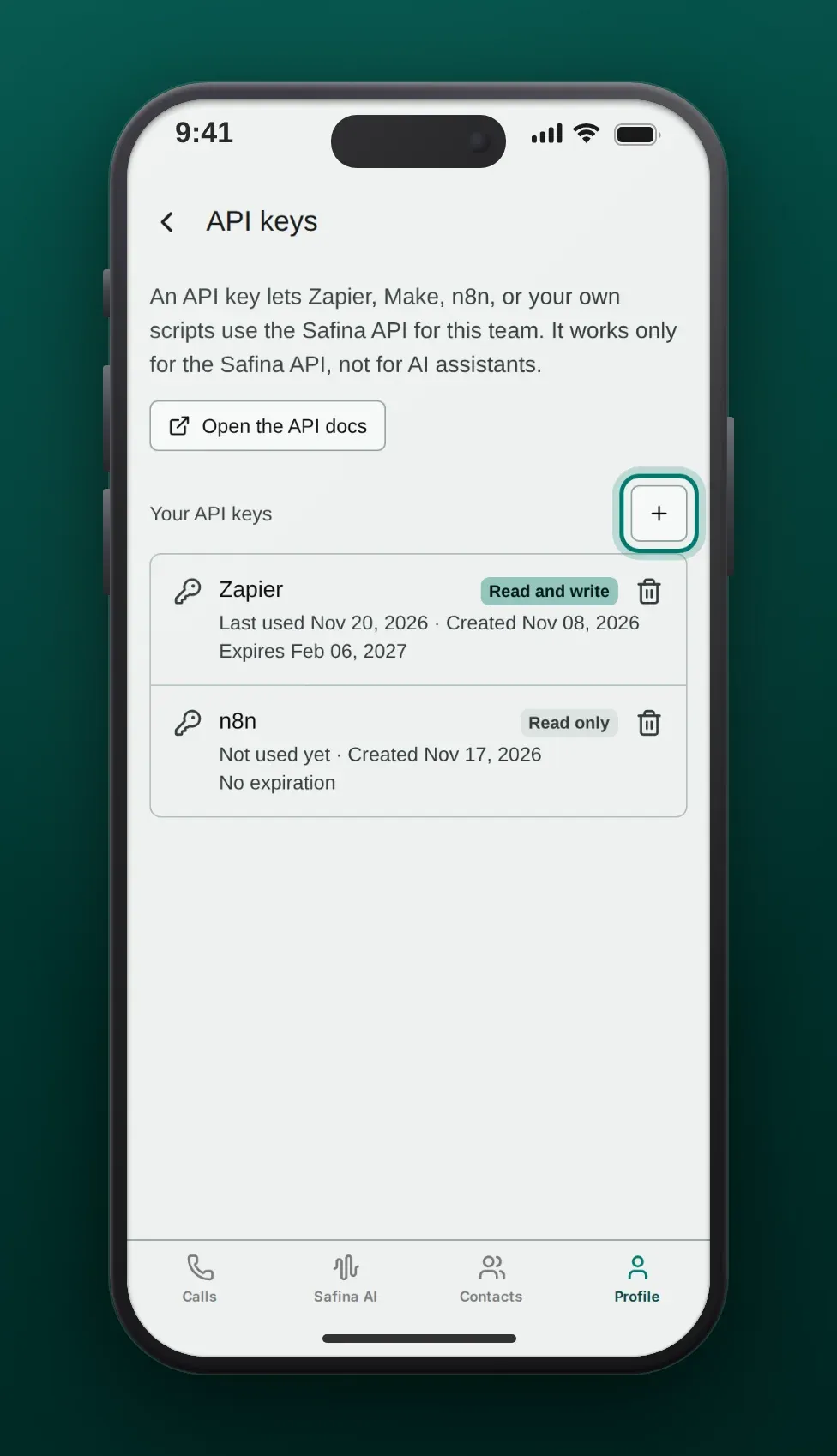
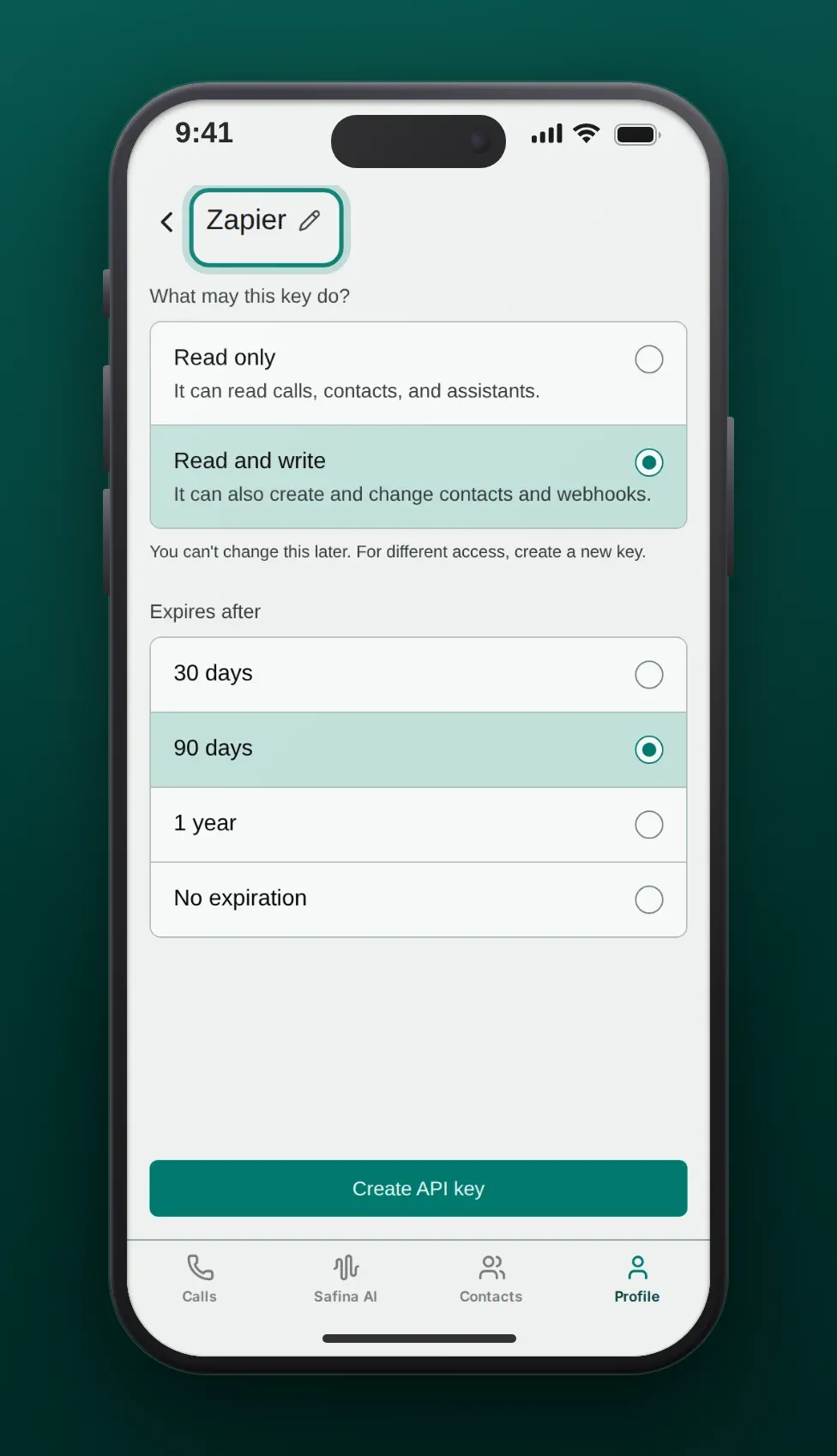
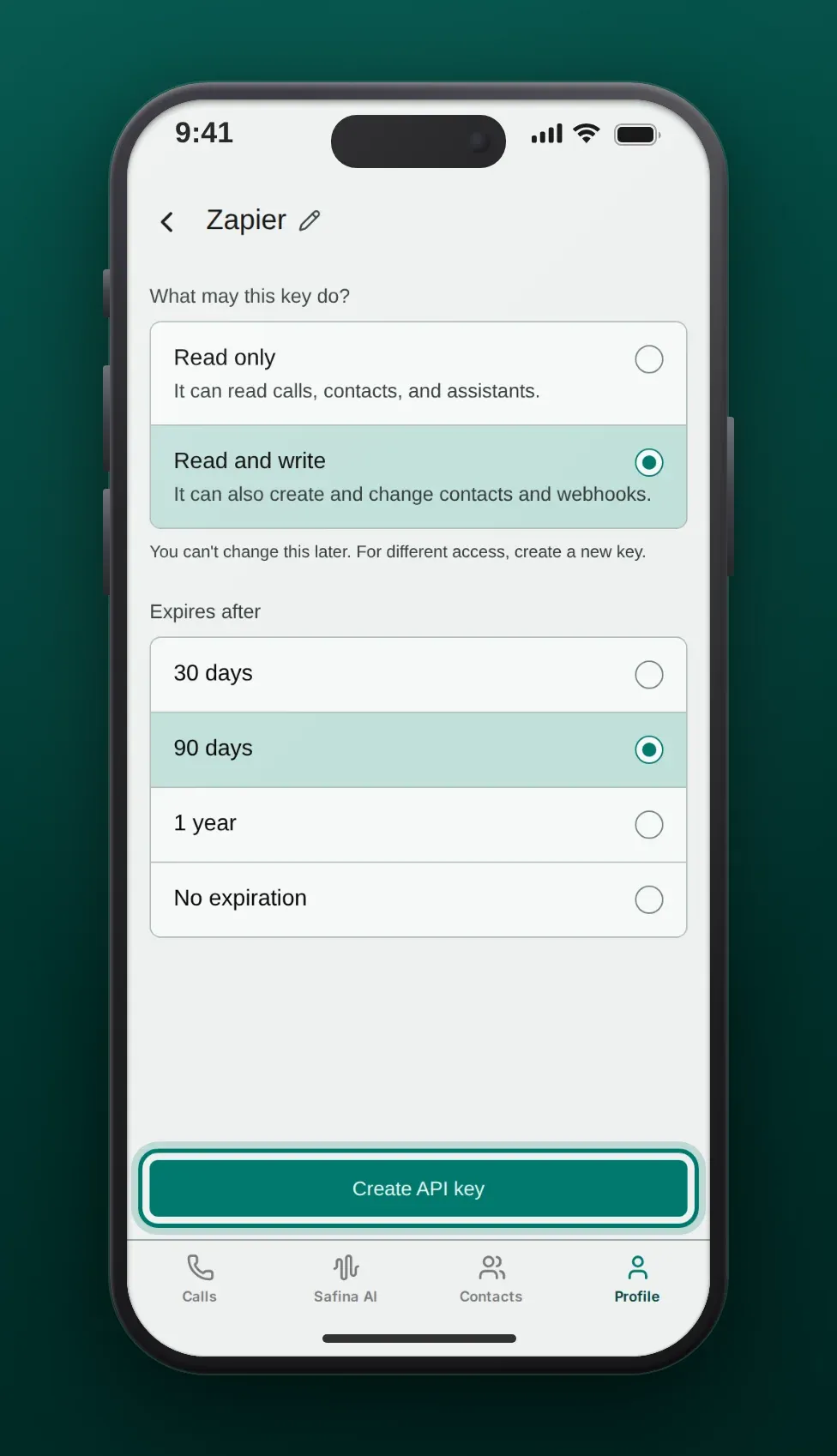
- At the top of the New API key page, tap the title and enter a name that tells you where you use the key, for example “Zapier”.
-
Under What may this key do?, choose:
- Read only: it can read calls, contacts and assistants.
- Read and write: it can also create and change contacts and webhooks.
You can’t change this later. For other access, create a new key.
-
Under Expires after, choose when the key expires: 30 days, 90 days (preselected), 1 year or No expiration.
-
Tap Create API key.
- The page now shows Your new API key. Tap Copy key and paste the key into your automation. The key starts with
safina_api_. Safina shows the full key only once.
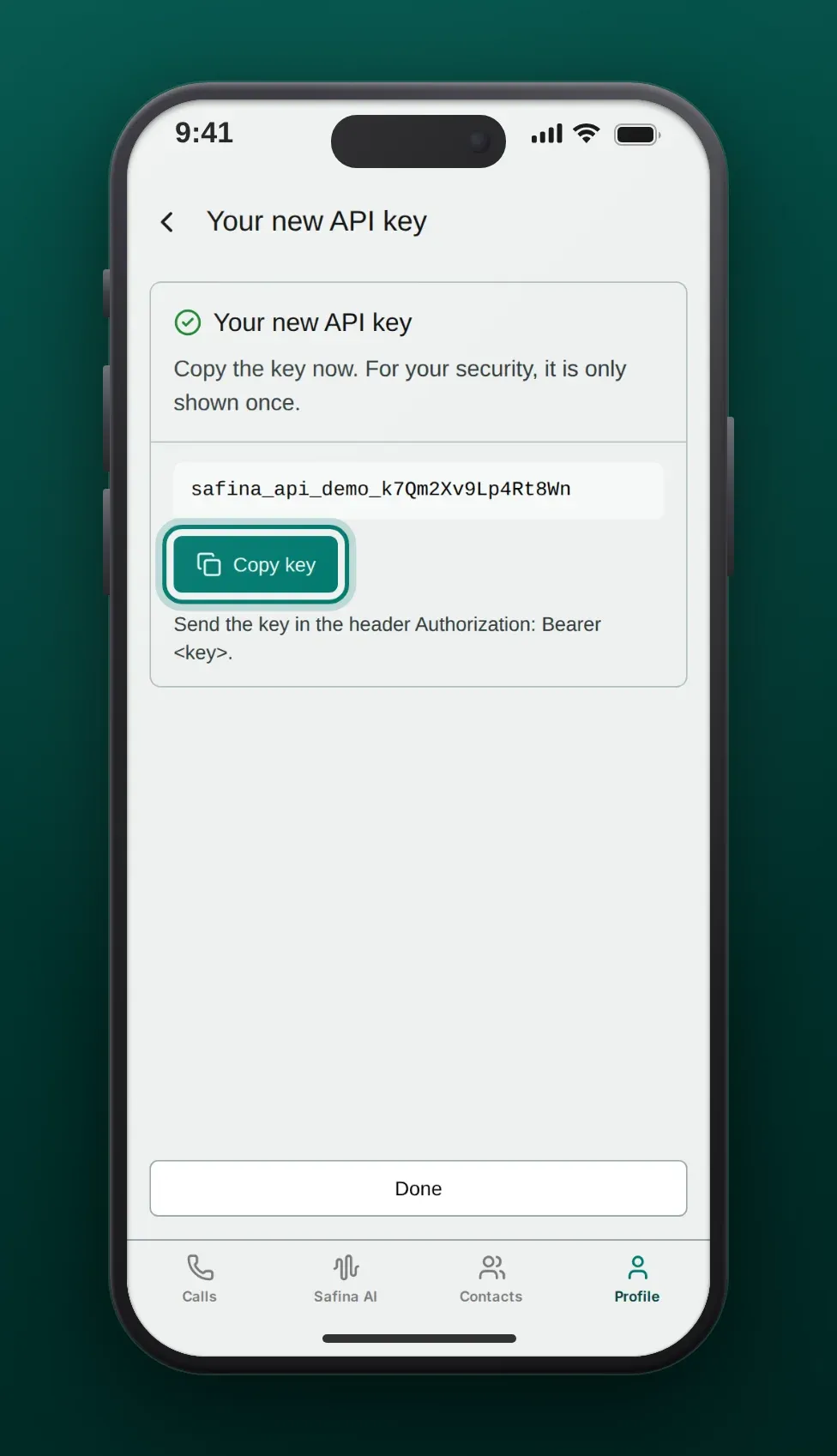
- Tap Done to go back to the list.
Every request sends the key in the header Authorization: Bearer <key>. The list Your API keys shows when each key was created, when it expires and when it was last used. To stop a key at once, tap the trash can next to it and confirm with Delete. Automations that use it then fail.
What an API key can do
| Area | Read only | Read and write |
|---|---|---|
| Assistants | List the assistants of the team | Same |
| Calls | List calls (newest first, filters for phone number, date and duration) and get one call with summary, caller and duration | Same |
| Contacts | Search contacts, find a contact by phone number | Also create and update contacts |
| Webhooks | – | Subscribe to the event call.ended and delete the subscription |
All routes, fields and answers are in the API reference.
Zapier
- Safina AI app for Zapier: the app has the trigger New Call, the actions Create Contact and Update Contact, and the searches Find Call, Find Contact, Find Contact by Text and Find or Create Contact. You connect it with an API key. The app is not yet in the Zapier app directory. For access, write to info@safina.ai.
- Webhooks by Zapier: a Catch Hook receives the call data after every call, without an API key. The steps are on Safina + Zapier.
n8n
- Safina node for n8n: the package
@sk-thinking/n8n-nodes-safinaadds two nodes. Safina reads assistants and calls and creates, finds and updates contacts. It also works as a tool of the n8n AI Agent. Safina Trigger starts a workflow when a call ends and checks the signature of each event. You add the key as a credential of the type Safina API. The node is not yet in the list of n8n community nodes. For access, write to info@safina.ai. The source code is public on GitHub. - HTTP Request node: call any route of the API with the header
Authorization: Bearer <key>. - Webhook node: receives the call data after every call. The steps are on Safina + n8n.
Make
Make has no Safina app yet. Use the HTTP module Make a request with the header Authorization: Bearer <key> to call the API. To start a scenario after every call, use a Custom webhook, as described on Safina + Make.
Your own script
The API address is https://api.backend.safina.ai. This example reads the five newest calls:
curl "https://api.backend.safina.ai/calls/me?limit=5" \
  -H "Authorization: Bearer safina_api_..."
Query values are JSON. A text value needs double quotes, a number does not:
curl -G "https://api.backend.safina.ai/contacts/me" \
  --data-urlencode 'search="Miller"' \
  -H "Authorization: Bearer safina_api_..."
A webhook after every call
With a read and write key, POST /webhooks with a name and a url subscribes to the event call.ended. Safina then sends one event per call when the summary is ready.
- Set
"create_signing_secret": trueto sign the events. The answer holds the secret once. How to check the headerX-Safina-Signatureis explained in Check the Safina webhook signature. - Safina tries each delivery up to three times. A repeated delivery has the same
event_id, so drop an event that you already processed. - A team can have up to 20 webhooks. Delete a subscription that you no longer need with
DELETE /webhooks/{id}. - If the address answers
410 Goneon every attempt for three calls in a row, Safina turns the webhook off and sends one email. You can turn it on again in the app under Safina AI > Call Logging > Webhooks.
When a request fails
| Answer | Meaning |
|---|---|
401 | The key is wrong, deleted or expired: create a new key and update your automation. You also get 401 when the person who created the key is no longer owner or admin of the team, or when the team has no active plan. |
403 api_keys_not_enabled | Your account has no access to API keys yet. |
403 plan_required | The team needs the Pro plan or higher. |
403 with a read only key | The request changes data. Use a read and write key. |
409 | The phone number already belongs to a contact, or the team already has 20 webhooks. |
Frequently asked questions
Can I use an AI connection code instead of an API key?
No. A connection code works only for AI assistants. An API key works only for the REST API.
Does a key work for all my teams?
No. A key belongs to the team that was active when you created it. For another team, switch the team in the app and create a key there.
What happens when a key expires?
Requests with it get 401. Create a new key and replace the old one in your automation.
Your Safina Team
