What happens when my minute volume is exhausted?
Is your minute package almost empty? Don't worry. We'll explain what happens when your volume is used up, how we warn you in advance, and how your calls will still be handled securely.
Help
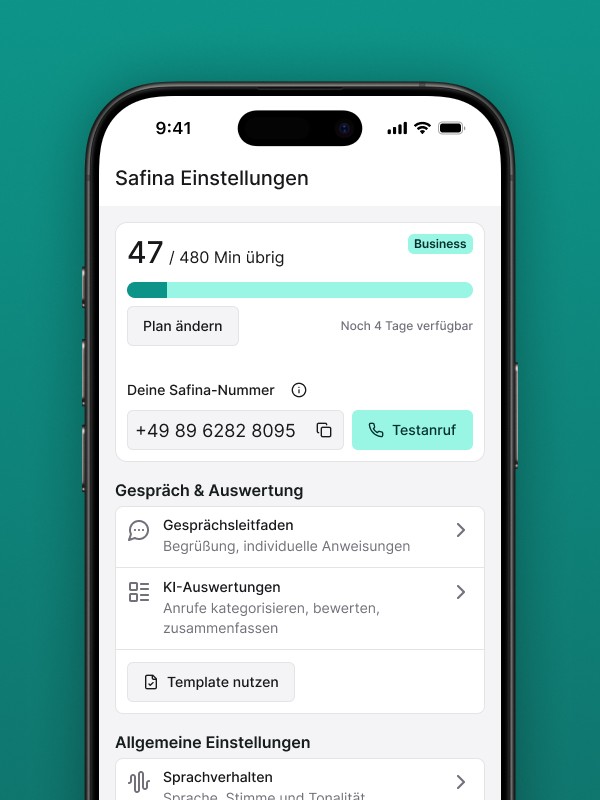
When the minute package included in your plan is running low, quick action is important to ensure your AI assistant remains accessible. Safina proactively informs you as soon as your quota is almost exhausted, so you can react in time.
Important Note: To avoid any interruption in your accessibility, you can activate the pay-as-you-go payment in the web app at any time. This allows Safina to seamlessly continue calling beyond your inclusive package.
More details on this here: Additional Minutes: How pay-as-you-go payment works
Here we explain how the process works and what protective mechanisms are in place.
The Process in Three Phases
To avoid having to constantly check your balance, Safina uses an automated notification system.
Phase 1: The Forewarning via Email
As soon as your available minute capacity reaches a critical threshold (e.g., only 10% is left), we automatically send you a warning email. This message serves as a lead time to either activate additional minutes or adjust your plan.
This message gives you sufficient lead time to respond if necessary and adjust your plan before the volume is completely exhausted.

Phase 2: The Volume is Exhausted – The Protective Mechanism Kicks In
The moment your last inclusive minute is consumed, the following happens:
You are informed: You will receive another email notifying you that your volume for the current billing period is now exhausted.
Safina automatically pauses: To ensure full cost transparency, Safina temporarily disables call forwarding to your AI assistant.
Your calls are secure: From this point on, calls will no longer be forwarded to Safina. Your phone line behaves as if no forwarding is active. Calls will either land on your regular voicemail or simply ring out, depending on your default settings with your provider.
Phase 3: The Reactivation
You have three options to make Safina operational again:
Option A: Activate Additional Minutes (Recommended): Activate pay-as-you-go payment in the web app. This is the quickest way to be reachable again immediately, without having to change your plan permanently.
Option B: Plan Upgrade: If your monthly volume is permanently insufficient, you can directly upgrade to a higher plan in the app.
Option C: New Billing Period: At the start of your next billing month, your inclusive package will be automatically replenished and Safina will resume work.
Full Transparency, No Surprises
This system ensures that you never incur additional costs without your knowledge. With timely warnings, you have control over whether Safina remains continuously active or pauses.
